
October 2, 2026 · 6 min read
Map Your Processes First: The Key to AI Workflow Automation
Automating a broken process just produces bad results faster. Learn how to map your workflows manually before applying AI automation tools.
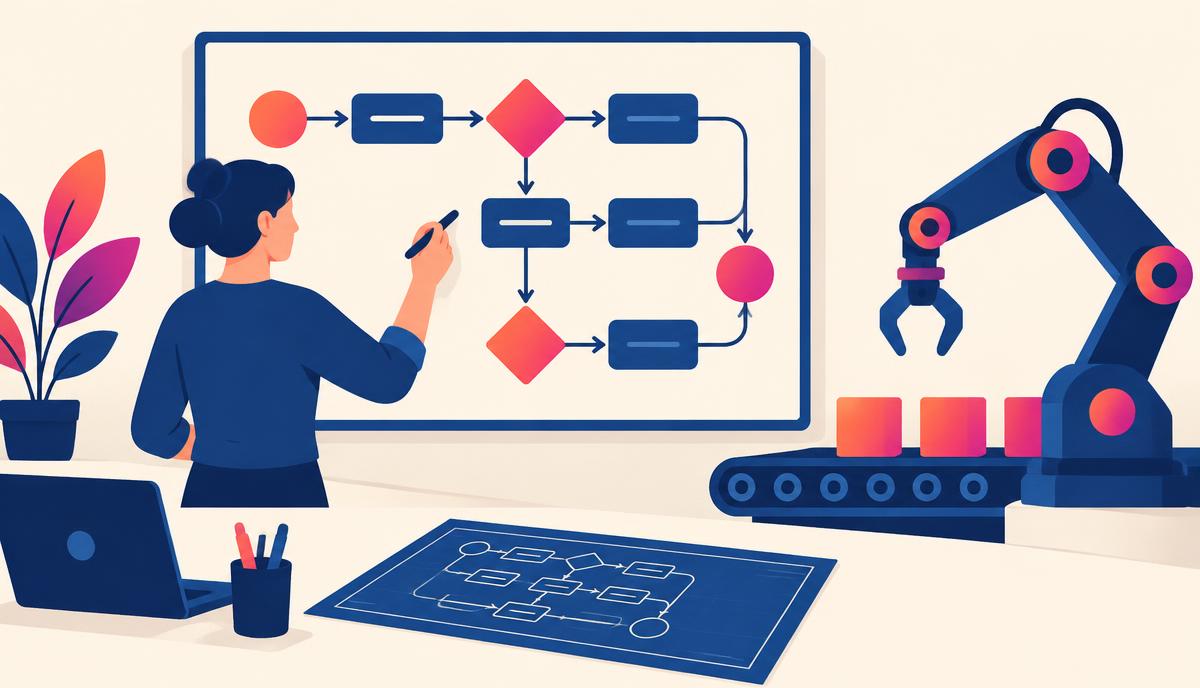
Many business leaders jump into artificial intelligence hoping for an instant productivity miracle. They connect their CRM to an LLM, hook up a notification channel, and hope for the best. Unfortunately, automating a broken process simply produces broken results faster. To build systems that actually save hours and scale operations, you must start with mapping. True ai workflow automation isn’t about buying more tools; it’s about understanding your existing business logic and strategically injecting intelligence where it delivers the highest return. Before you write a single prompt or build an automation path, you need a clear process blueprint.
When we deploy automation without mapping, we invite chaos. We build fragile integrations that break when a variable changes, or we automate tasks that shouldn’t even exist in the first place. By taking the time to map your workflows manually, you clarify who does what, identify where human judgment is non-negotiable, and target the precise moments where AI can take over repetitive cognitive tasks.
Why Process Mapping Must Precede AI Workflow Automation
AI is highly capable, but it is not a mind reader. If you do not understand the inputs, outputs, rules, and exceptions of a task, an AI model will not be able to execute it consistently. Mapping your workflow before building an automation gives you three distinct advantages:
- Waste Elimination: You will often find steps that are entirely unnecessary. There is no point in automating a task that should be deleted.
- Clarity on Context: AI requires context to perform well. Mapping helps you identify exactly what data (past emails, customer profiles, product databases) needs to be fed into the AI at each step.
- Risk Mitigation: By laying out the entire sequence, you can easily see where things might go wrong and where a human-in-the-loop review is mandatory.
When you attempt ai workflow automation without a map, you treat every step as a black box. Mapping shines a light on those boxes, allowing you to build stable, predictable systems that require minimal maintenance.
Step 1: Document the "As-Is" Workflow
Start by mapping your workflow exactly as it exists today, not how you wish it worked. Do not think about AI at this stage. Simply document the manual reality.
Grab a digital whiteboard or a blank document and write down every single step in the sequence. For example, if you are mapping your client onboarding process, your list might look like this:
- The sales representative marks a deal as "Closed Won" in the CRM.
- The representative manually copies the client's details into an onboarding Google Sheet.
- The account manager draft-writes a custom welcome email based on the notes in the CRM.
- The account manager creates a shared folder in Google Drive and uploads template documents.
- The account manager sends the welcome email with the folder link and a scheduling link for a kickoff call.
- The client books a call, and the account manager manually updates the onboarding tracker.
For each step, note who is responsible, how long the task takes, what tools are used, and what data is transferred. This establishes a baseline of your operational reality.
Step 2: Categorize Tasks and Identify AI Integration Points
Not every step in a process is a good candidate for AI. Some steps are best handled by traditional rule-based automation (like Zapier sending a standard webhook), while others require human empathy, relationship building, or deep strategic decision-making.
To find the best opportunities for ai workflow automation, categorize your mapped steps into three distinct buckets:
| Task Type | Description | Best System to Use |
|---|---|---|
| Rote/Data Transfer | Moving data from point A to point B without changing it. | Traditional automation (Zapier, Make, APIs) |
| Cognitive/Creative | Summarizing, drafting, translating, classifying, or analyzing information. | Generative AI integrations (OpenAI, Anthropic, etc.) |
| High-Touch Human | Relationship building, complex negotiations, and final quality assurance. | Human team members |
| Hybrid | AI generates a draft or analysis, but a human must review and approve it before sending. | Human-in-the-Loop system |
Look at your onboarding example. Moving client details from the CRM to a Google Sheet is a Rote task. You do not need AI for this; a simple integration tool can move that text instantly. However, drafting a highly personalized welcome email based on custom CRM notes is a Cognitive task. This is where AI shines. It can ingest the sales notes, extract the key pain points, and write a tailored welcome draft in seconds, leaving the account manager to simply review and send it.
Designing Your First AI Workflow Automation Blueprint
Once you have categorized your tasks, you can design your "To-Be" blueprint. This is where you architect how human workers, traditional automation, and AI will collaborate.
Let’s transform our manual onboarding process into a high-performance, automated pipeline.
The Trigger and the Initial Integration
Your workflow starts with a trigger. In this case, the trigger is the sales representative updating the CRM deal status to "Closed Won." This action sends a payload of data (client name, company name, industry, sales notes, and package selected) to an automation hub like Make or Zapier.
The AI Cognitive Step
Instead of copy-pasting notes, the automation sends the sales notes directly to an LLM via an API call. To get an accurate, high-quality output, you must supply the AI with a structured system prompt. Here is an example of an operational prompt you can build into your automation step:
You are an expert Client Success Assistant. Your task is to analyze the sales notes provided below and draft a highly personalized, warm welcome email to our new client.

Use this context:
- Company Name: {{Company Name}}
- Client Contact: {{Contact Name}}
- Service Purchased: {{Service Name}}
- Key Pain Points: {{Sales Notes}}

Guidelines:
1. Keep the tone warm, professional, and collaborative.
2. Specifically reference at least one pain point mentioned in the sales notes and explain how our onboarding process will begin addressing it immediately.
3. Keep the email under 200 words.
4. Include placeholders for the kickoff call link and the shared Google Drive folder.
The Human-in-the-Loop Safeguard
Never allow an AI to send emails to external clients entirely on autopilot. Instead of sending the generated email directly to the client, configure your automation to create a draft inside the account manager’s Gmail or Outlook account. Simultaneously, send a Slack or Teams notification to the account manager:
"A new client welcome draft has been created for {{Contact Name}} at {{Company Name}}. Please review and hit send inside your Gmail drafts folder."
This ensures that a human remains the final filter, checking for accuracy and tone, while reducing their active work time from fifteen minutes of writing down to thirty seconds of reviewing.
Common Pitfalls in AI Workflow Automation
As you begin building, keep these common traps in mind to avoid creating fragile, frustrating systems:
- Over-automating: Do not try to automate 100% of a process on day one. Aim to automate the middle 70%—the repetitive preparation and draft work—while keeping human intuition at the beginning and the end.
- Ignoring Edge Cases: What happens if the sales notes are empty? What if the client didn't supply an email address? Your map must identify these exceptions so you can build filters into your automation to alert a human when data is missing.
- Hardcoding Variable Data: Do not write prompt instructions that will change month-to-month inside the automation itself. Use your CRM or database to house dynamic information, and pull those variables into your prompts dynamically.
By planning for these issues during your mapping phase, you build robust systems that do not break the moment real-world variance occurs.
Implement Your Blueprint Step-by-Step
Do not try to revamp your entire business overnight. Start with a single, high-frequency process that currently drains your team’s time. Map it, categorize the steps, identify where AI adds true cognitive value, and build a small pilot.
Once you see the time savings from your first successful pilot, you can systematically expand your efforts, turning your business into a lean, highly leverageable machine powered by intentional automation.
If you want to master the art of designing, mapping, and implementing systems like this alongside other proactive business leaders, join us inside the free AI Magnet Community. We share practical templates, real-world workflows, and collaborative support to help you scale your operations with confidence.