
October 28, 2026 · 7 min read
Map Before You Automate: A Guide to AI Workflow Automation
Learn how to map your manual business processes step-by-step before applying AI workflow automation to avoid scaling operational chaos.
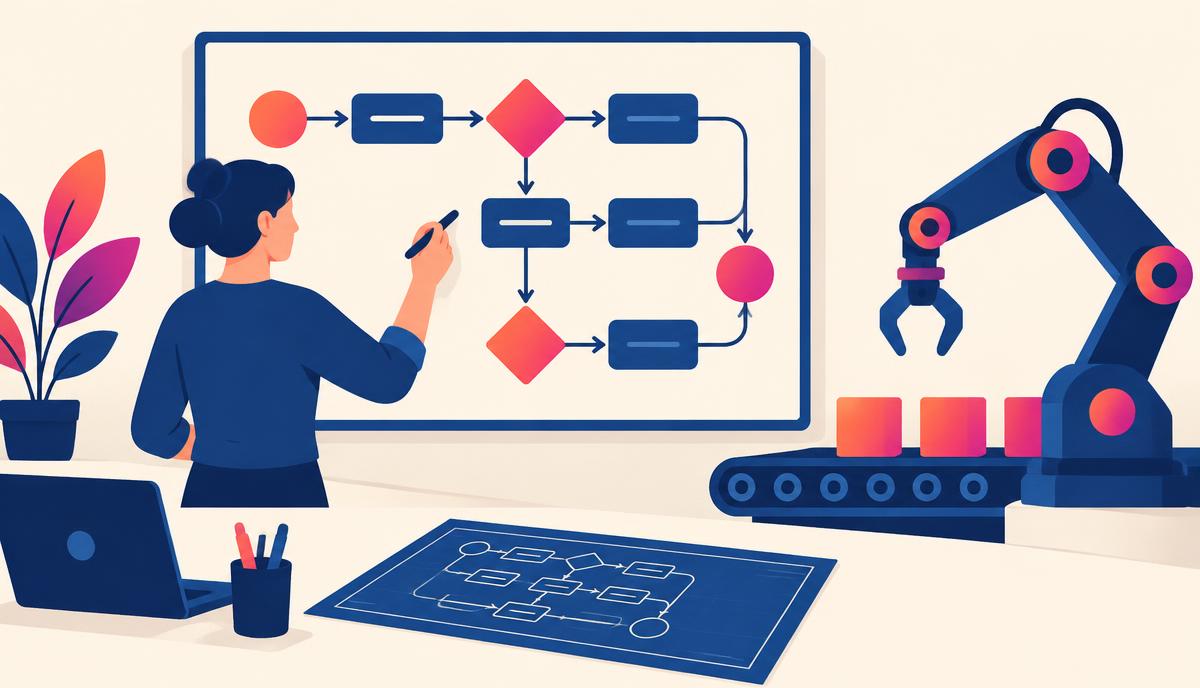
Many business owners and marketing leaders rush into ai workflow automation hoping for an overnight operational miracle. They purchase subscriptions to integration platforms, connect a few APIs, and expect their business to run on autopilot. However, automating a chaotic, undefined process only accelerates chaos. To build systems that actually save time, reduce overhead, and scale your business, you must map your manual workflows step-by-step before introducing any ai workflow automation tools.
Without a clear operational map, you run the risk of automating the wrong tasks, creating loops of broken logic, or building systems that your team ultimately abandons. Mapping gives you a bird's-eye view of your business engine so you can surgically insert artificial intelligence where it will make the greatest impact.
Why Mapping is the Critical First Step in AI Workflow Automation
AI is highly effective at pattern recognition, data synthesis, and executing tasks based on clear rules. It is not, however, a mind reader. If you do not understand the exact inputs, logic branches, and desired outputs of a task, an AI system cannot execute it reliably.
Mapping your process beforehand prevents three common operational failures:
- The "Garbage In, Garbage Out" Loop: If your manual data collection is messy, automated AI processing will only generate polished, highly articulate nonsense.
- Over-Engineering simple tasks: Some business steps do not need complex AI. They simply need a basic, rule-based filter or a direct API integration. Mapping helps you distinguish between simple automation and cognitive AI automation.
- Disruption to Client Experience: Unmapped automations often lead to sterile or misplaced communications, hurting the brand experience. Knowing where humans must remain in the loop preserves trust.
By taking the time to draw out your processes, you convert human intuition into a logical structure that software can understand. This structural foundation is what makes successful ai workflow automation possible.
The 4-Step Process Mapping Framework
To map any workflow for automation, you do not need complex software. A simple digital whiteboard, a spreadsheet, or even a sheet of paper will suffice. Follow this four-step framework to document your current operations.
Step 1: Define the Trigger and the Ultimate Outcome
Every business workflow is a sequence of events initiated by a specific trigger that concludes with a specific outcome. Start by writing these two bookends down first.
- The Trigger: This is the precise moment the workflow begins. Examples include: "A new lead submits an intake form on our website," "An invoice becomes 15 days overdue," or "A client uploads a raw video file to a shared folder."
- The Ultimate Outcome: This is the successful completion of the workflow. Examples include: "The qualified lead receives a personalized booking link," "The overdue payment is collected and recorded in the ledger," or "The edited video is scheduled on social media channels."
Step 2: Document Every Micro-Step in Sequence
Between the trigger and the outcome lies a series of micro-steps. Write down every single action your team takes to bridge the gap. Do not gloss over the small details. If a human has to open a spreadsheet, copy an email address, verify a detail in a CRM, or send a manual reminder, write it down.
For a standard lead-qualification process, your micro-steps might look like this:
- Lead submits a contact form.
- Assistant receives an email notification.
- Assistant manually copies the lead’s company name and searches LinkedIn to find their company size.
- Assistant classifies the lead as "Small," "Medium," or "Large."
- Assistant drafts a customized email based on the company size category.
- Assistant sends the email and logs the interaction in the CRM.
Step 3: Identify the Decision Points
Whenever a step requires human judgment, you have reached a decision point. These are the "If/Then" branches of your business. In the lead qualification example above, the decision point is: "If company size is over 50 employees, route to sales; if under 50 employees, route to self-service resources."
Clearly mark these decision points on your map. AI is incredibly powerful at analyzing unstructured data to make these decisions, provided you define the criteria explicitly.
Step 4: Classify Tasks for Automation Suitability
Once your map is complete, analyze each step. Not every step should be handled by AI, and not every step should be handled by a human. Classify each action using the following categories:
| Task Type | Characteristics | Best Technical Approach | Human Role |
|---|---|---|---|
| Rule-Based | Highly predictable, repetitive, no critical thinking required (e.g., copying data from a form to a spreadsheet). | Standard integration tools (Zapier, Make). | None (fully automated). |
| Cognitive | Requires reasoning, synthesis, language translation, or categorization (e.g., analyzing lead responses to find pain points). | Generative AI models (GPT-4, Claude) integrated into the workflow. | None, or prompt-based guardrails. |
| High-Touch | Requires empathy, strategic decision-making, negotiations, or physical presence. | Keep manual. | Executed by team member. |
| Hybrid | AI generates a draft, draft requires human sign-off before sending. | Human-in-the-loop automation. | Reviewer and approver. |
Designing the Logic for AI Workflow Automation
Once your map is complete and tasks are categorized, you can begin designing the software logical flow. This is the stage where you determine how your software stack will communicate to execute the map.
To illustrate this, let us look at how we can translate our manual lead-qualification map into an automated logic flow.
The Automated Architecture
Using an integration platform like Make or Zapier as the central coordinator, the logic flow looks like this:
- The Trigger: A new lead submission occurs in Typeform.
- The Filter: The integration tool checks if the email address is valid and not a duplicate in your CRM (HubSpot or ActiveCampaign).
- The AI Cognitive Step: The integration tool sends the lead's open-ended answers (e.g., "What is your biggest business challenge right now?") to OpenAI via API.
- The Prompt execution: The AI analyses the text and categorizes the challenge into one of three pre-defined buckets: "Operational Friction," "Marketing Bottlenecks," or "Team Training Needs."
- The Action: The integration tool updates the CRM contact record with this category and triggers a customized email sequence tailored specifically to that pain point.
By mapping this logic first, you ensure your AI system knows exactly where to look for data, what instructions to follow, and where to send the output.
Human-in-the-Loop: The Essential Safeguard
One of the biggest mistakes in ai workflow automation is removing humans from the equation entirely, too early. While complete automation is the ultimate goal for simple, low-risk administrative processes, high-value operations require human oversight.
This is called a "Human-in-the-Loop" (HITL) system.
Instead of letting the AI send an automated outreach email directly to a high-value prospect, configure the system to draft the email and save it in your drafts folder, or ping a team member on Slack with a button that says "Approve and Send." This allows your team to catch hallucinations, verify tone, and add personal touches that make the outreach truly convert.
As you build confidence in the accuracy of your AI workflow automation, you can gradually reduce the level of human review for low-risk tasks, moving from 100% review to random spot-checks.
Action Steps to Get Started This Week
If you want to start building robust automated systems, do not try to automate your entire business at once. Pick one repetitive, high-friction workflow and follow these steps:
- Select a single pilot process: Choose something that happens daily, takes 30-60 minutes of manual labor, and has relatively low stakes if an error occurs (such as meeting transcription summarization, social media draft generation, or initial support ticket sorting).
- Run a mapping session: Spend 20 minutes writing down every single step, decision, and application used in that process.
- Identify the cognitive bottleneck: Look for the step where a human has to stop, read, synthesize, or write text. This is your candidate for an AI-powered step.
- Build your MVP (Minimum Viable Process): Connect your tools using a platform like Zapier or Make, insert your AI step with a highly specific prompt, and run test data through the system.
Mapping your workflows keeps you in control of your business systems. It ensures that technology serves your strategy, rather than your strategy being restricted by technology.
If you want to master this systematic approach to business growth and operational efficiency, join a community of forward-thinking business leaders. Connect with us in the free AI Magnet Community. Founded by Michelle Hummel, we offer practical resources, real-world strategies, and collaborative support to help you implement AI with intention and scale your operations sustainably.